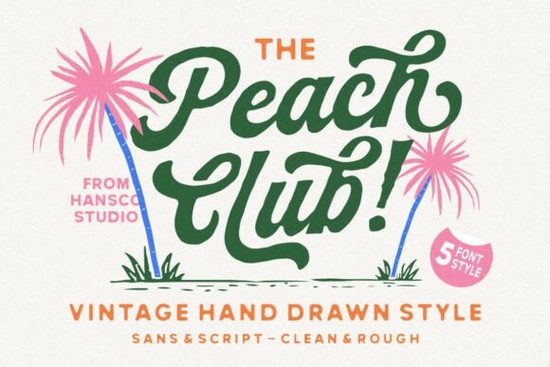
Finding the right balance between a decorative script and a clean supporting typeface is often the hardest part of logo design. You want the main text to stand out, but the secondary text needs to remain readable. The Peach Club Font solves this by pairing a warm, hand-drawn script with a versatile modern sans serif. This combination gives crafters and small business owners a complete typographic toolkit right out of the box, removing the guesswork from pairing different lettering styles.
What makes a hand-drawn script work for branding?
When you look at vintage-inspired artwork or boutique packaging, the lettering rarely looks perfectly uniform. Authentic hand-drawn imperfections, like slight variations in stroke width and natural curves, give a design its personality. The script included in this bundle mimics those real pen strokes. Instead of looking rigid or overly digital, it feels approachable and nostalgic.
If you are working on a boutique label or a wedding invitation, this kind of organic lettering helps establish a personal connection with the viewer. For those who prefer a softer, more colorful aesthetic in their projects, you might also explore options like a gentle pastel typeface to complement the warm vibes of your overall layout.
How do you pair a script font with supporting text?
A beautiful script is only half the battle. If your subheadings or contact details are hard to read, the design fails. That is why having a complementary sans serif is essential. The clean, modern sans serif included in this bundle is designed specifically to balance the ornate curves of the script.
Use the script for your main brand name or a large headline. Then, switch to the sans serif for taglines, website navigation, or product descriptions. This contrast creates a clear visual hierarchy. If you are experimenting with different layout styles, checking out an alignment-focused type collection can help you understand how to space these contrasting weights properly on a page.
Which projects are best suited for this style?
Because this bundle includes both a decorative and a functional typeface, it is highly flexible for various creative fields. Here is how different creators typically use this kind of pairing:
- Print-on-demand sellers: Use the script for bold, catchy quotes on t-shirts or tote bags, and the sans serif for the smaller care instructions or secondary text.
- Small businesses: Apply the script to your primary logo mark and the sans serif to your business cards, email signatures, and social media bios.
- Crafters and hobbyists: The natural strokes look excellent when cut on a vinyl machine for custom mugs, wooden signs, or paper crafting.
Sometimes, a project calls for a slightly different mood. If your brand leans more towards a romantic or elegant theme, you might want to browse a romantic script alternative to see how different curves change the feel of your logo. Similarly, for highly expressive, love-themed crafts, an affectionate lettering style could be a fun addition to your font library. If you enjoy the specific aesthetic of this bundle, you can also explore other hand-drawn options in this series to build a larger toolkit.
How do you get the best results when installing and testing?
Before you start designing, taking a few extra steps to set up your files will save you time and prevent formatting headaches later. Follow this quick checklist to ensure your typography looks professional:
- Extract the files completely: Always unzip your downloaded folder before trying to install the fonts. Installing directly from a zipped folder can cause missing glyphs.
- Install both weights: Make sure you install both the script and the sans serif versions so they show up together in your design software's font menu.
- Check the glyph panel: Open your software's glyph panel to see if the script includes alternate characters, swashes, or ligatures that can make your connections look even more natural.
- Test at different sizes: Type out your brand name in the script at a large size, but also shrink it down to see if the hand-drawn imperfections remain legible on smaller screens or printed tags.
- Adjust tracking carefully: Keep the tracking (letter spacing) tight or default for the script, but add a little extra spacing to the sans serif if you are using it in all-caps for a modern, minimalist look.
Take a few minutes to type out your actual brand name or a favorite quote in both styles. Seeing the letters in context will help you decide which weight works best for your primary logo and which is better suited for your supporting layout elements.
Get Started Crafting with Baby Boho Font Style & Projects
 Victory Swing: Retro Design Font Inspiration & Uses
 Crafting Friendly Fonts for Young Readers
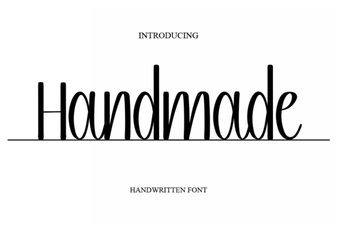 Craft Your Vision with Handmade Fonts
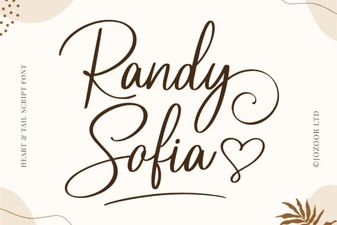 Randy Sofia Font: Creative Uses & Tips
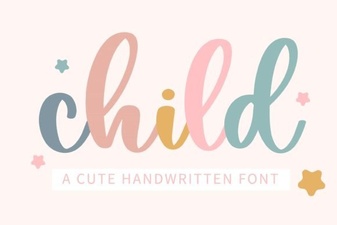 Choosing Child-Friendly Fonts for Creative Projects