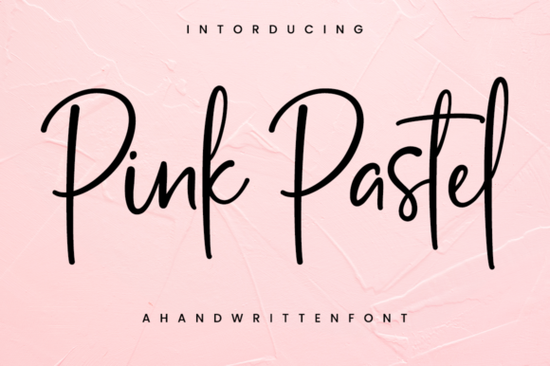
Finding the right typography for delicate projects often means balancing readability with a personal touch. Choosing the right lettering can completely change how a customer perceives your work, turning a simple craft into a premium product. When you need a refreshing look for wedding stationery, boutique branding, or handmade crafts, the Pink Pastel Font offers a lovely, elegant script that feels both classic and approachable. Unlike heavily distressed or overly complex calligraphy, this typeface keeps its letterforms clean, making it highly versatile for designers and crafters alike.
What makes a script font work for elegant projects?
The secret to elegant typography lies in the flow and spacing of the letters. A good script should mimic natural handwriting while maintaining consistent baselines and clear connections. If the loops are too tight or the swashes too wild, the text becomes hard to read, especially at smaller sizes. This particular typeface strikes a nice balance, offering delicate curves without sacrificing legibility.
When building a brand identity or designing event invitations, you might want to explore different moods to support your main heading. Taking the time to select the right supporting fonts ensures your main message remains the focal point without overwhelming the viewer. For instance, if you are working on a spring-themed collection, you might pair it with botanical-inspired typefaces to create a cohesive, nature-focused aesthetic. On the other hand, if your project requires a more relaxed, beachy vibe, looking into warm, summery scripts could give you the right contrast for your secondary text and body copy.
How can crafters and small businesses use this style?
Print-on-demand sellers and small business owners constantly need fresh typography to make their products stand out. Delicate scripts are incredibly popular for apparel, tote bags, and mugs, particularly when targeting a feminine or romantic demographic. Here are a few practical ways to apply this style:
- Wedding and Event Stationery: Use it for names and dates on invitations, place cards, and welcome signs.
- Boutique Branding: Apply it to logos, packaging labels, and thank-you cards for handmade goods.
- Nursery and Baby Products: The soft curves work beautifully for baby shower invites or personalized wooden name signs. If you need more options in this specific niche, browsing soft, nursery-style typography can provide excellent complementary choices for your product line.
- Apparel and Accessories: Plotter users will find the smooth lines easy to weed when cutting heat transfer vinyl for t-shirts and sweatshirts.
Which design tools and cutting machines work best?
One of the most common questions from hobbyists is whether a specific font will work with their equipment. Because this font features clean, continuous lines, it is highly compatible with vector-based software like Adobe Illustrator and Affinity Designer. It also imports smoothly into Canva and Cricut Design Space, allowing you to manipulate the text without losing quality.
For those using cutting machines like Silhouette or Cricut, smooth curves mean fewer snagged edges when weeding vinyl. Always remember to convert your text to outlines or curves before sending your final files to a professional printer, as they may not have the specific typeface installed on their systems. If you are designing for a younger audience and need something a bit more bouncy for your subheadings, you might want to check out playful lettering designed for kids. Meanwhile, if your brand leans toward minimalism, pairing your main script with clean, modern handwriting styles for your smaller text will keep the overall layout looking professional and uncluttered.
What should you check before finalizing your typography?
Before you send your design to print or cut your final vinyl piece, running through a quick quality check can save you time and materials. Here is a practical checklist to ensure your lettering looks its best:
- Check the kerning: Even well-made scripts sometimes need manual spacing adjustments. Make sure no two letters are awkwardly overlapping or drifting too far apart.
- Test the size: Print a test page or view your design at actual size on your screen. Delicate thin lines might disappear if printed too small on physical media.
- Verify the background contrast: Light, elegant scripts need a solid, contrasting background to remain readable. Avoid placing thin lettering over busy photographs without a subtle drop shadow or backing shape.
- Weld your text: If you are using a cutting machine, always weld or attach your text in the software so the letters cut as a single, continuous piece rather than individual fragments.
 Crafting with Baby Boho Font Style & Projects
 Victory Swing: Retro Design Font Inspiration & Uses
 Crafting Friendly Fonts for Young Readers
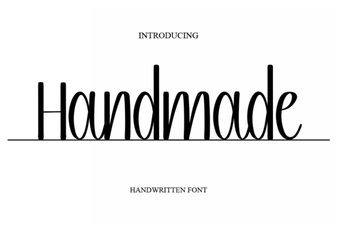 Craft Your Vision with Handmade Fonts
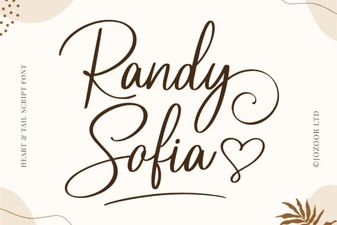 Randy Sofia Font: Creative Uses & Tips
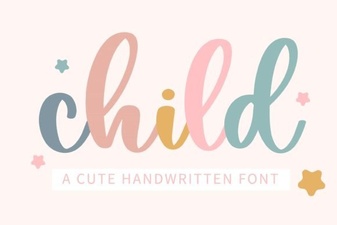 Choosing Child-Friendly Fonts for Creative Projects