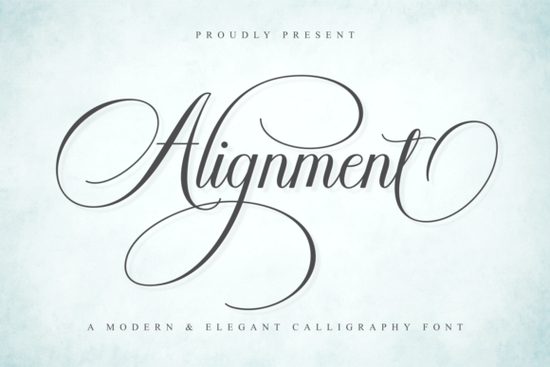
Finding the right typography for a luxury brand or a delicate wedding invitation can take hours of searching. The Alignment Font solves this by offering a modern calligraphy script that balances elegant swashes with clean, readable strokes. Designed with a feminine and luxurious feel, this typeface gives small businesses and crafters a professional, handwritten look without sacrificing legibility. Whether you are creating high-end packaging or social media quotes, the smooth curves and balanced contrast make it a reliable choice for your design toolkit.
What makes a calligraphy script readable for commercial projects?
Many script typefaces look beautiful in a single word but become impossible to read in longer sentences. A good calligraphy font needs balanced contrast and flowing letterforms that guide the eye naturally. Alignment achieves this by keeping the core letters clean while saving the elaborate swashes for the beginning and end of words. This approach is especially helpful for print-on-demand sellers who need to put quotes on t-shirts, tote bags, or ceramic mugs where text clarity is crucial. If you are mixing this with other styles, you might also explore hand-lettered styles to add a more rustic, personal touch to your merchandise.
How do you access special swashes and glyphs?
One of the most frustrating parts of using decorative fonts is figuring out how to access the extra characters. This font is PUA encoded, which means all the special glyphs, alternate characters, and sweeping swashes are fully accessible. If you are using software like Cricut Design Space, Silhouette Studio, or standard word processors, you can use the character map or glyph panel to copy and paste these elements. You do not need expensive design software to use the extra flourishes. For those working on nursery decor or baby shower invites, pairing these swashes with soft bohemian lettering creates a very gentle, welcoming aesthetic.
Which design projects benefit from a luxurious, feminine typeface?
Typography sets the mood before the customer even reads the text. A sophisticated, flowing script signals quality and attention to detail. Here are a few specific ways designers and hobbyists use this style of lettering:
- Wedding stationery: Use the sweeping swashes for the couple's names on invitations, place cards, and welcome signs.
- Luxury packaging: Print the script on cosmetic boxes, candle labels, or boutique shopping bags to give a high-end feel.
- Fashion branding: Create stylish clothing tags or boutique logos that stand out in a crowded market.
- Social media graphics: Overlay the clean letterforms on minimalist backgrounds for beauty and lifestyle quotes.
When building a broader brand identity, you rarely use just one typeface. Consistency in your typography helps customers recognize your small business instantly across different platforms and physical products. You might pair this elegant script with a clean sans-serif for body text, or look into botanical themed font pairings if your brand leans toward nature and organic products. If your project requires a more relaxed, outdoor vibe, checking out nature-inspired lettering options can give you a good alternative for camping or adventure-themed gear.
How do you keep script fonts looking natural and not overly digital?
The key to making digital calligraphy look like it was written with a real pen is to avoid repetitive letter combinations. Because this typeface includes alternate characters, you can swap out identical letters that appear next to each other. For example, if you have two lowercase 'o's in a row, change one to an alternate glyph. This small trick breaks up the digital uniformity. Taking the time to customize these small details makes your final product look like it was crafted by a professional lettering artist rather than typed on a keyboard. For a more personal, signature-like appearance on business documents or certificates, you might also test playful signature styles to see which one fits your specific layout best.
Quick checklist for installing and using PUA encoded fonts
Before you start your next design project, follow these steps to ensure your fonts work perfectly:
- Install the font correctly: Unzip the downloaded folder, right-click the font file, and select "Install" on Windows or double-click and select "Install Font" on Mac.
- Restart your software: Close and reopen your design program or word processor so it recognizes the newly installed typeface.
- Open the Character Map: On Windows, search for "Character Map" in the start menu. On Mac, open "Font Book" or use the "Glyphs" panel in your specific design app.
- Copy and paste glyphs: Find the font in your character map, click on the swash or alternate letter you want, copy it, and paste it directly into your design canvas.
- Adjust kerning manually: After pasting special swashes, use your software's letter spacing tools to tuck the swash neatly under or over the adjacent letters for a seamless look.
 Crafting with Baby Boho Font Style & Projects
 Victory Swing: Retro Design Font Inspiration & Uses
 Crafting Friendly Fonts for Young Readers
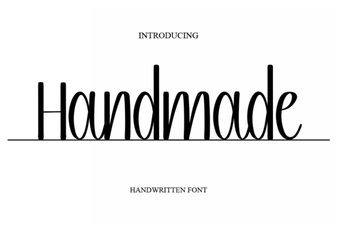 Craft Your Vision with Handmade Fonts
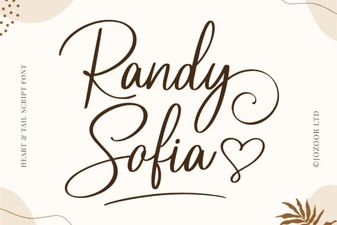 Randy Sofia Font: Creative Uses & Tips
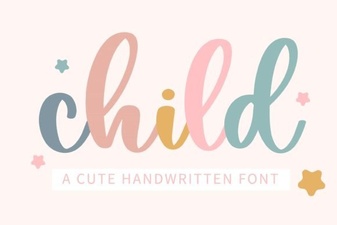 Choosing Child-Friendly Fonts for Creative Projects