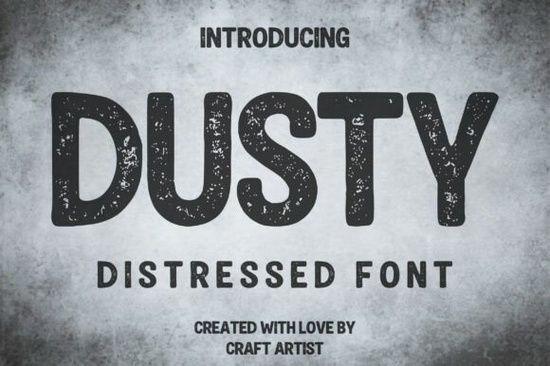
When designing merchandise or branding that needs a weathered, authentic look, finding the right typography is half the battle. A heavily textured typeface adds instant history and grit to your work without requiring hours of manual editing. If you are working on a project that demands a rugged, industrial feel, the Dusty Font provides a built-in distressed effect that mimics vintage stamp and screen-printed aesthetics. It is an all-caps display typeface designed specifically for bold headlines, giving crafters and print-on-demand sellers a reliable tool for creating authentic wear-and-tear.
How do you make text look genuinely worn and vintage?
Creating a realistic vintage effect usually involves layering masks, adjusting opacity, and applying noise filters in your design software. A purpose-built distressed typeface handles this heavy lifting for you. Dusty uses a slightly rounded, block-like structure that maintains excellent readability. This keeps the letters clear even with the heavy speckling and intentional noise inside the letterforms. The rough texture is integrated directly into the font file, meaning it scales perfectly whether you are printing a small coffee bag label or a massive outdoor banner.
If you are exploring other bold styles for your design toolkit, you might also look into athletic and military-inspired lettering for a different kind of structured boldness. Alternatively, for projects needing a more illustrative vibe, browsing through graphic novel and comic styles can give your artwork a punchy, dynamic energy.
What projects work best with a rugged display typeface?
Not every design needs a weathered look, but certain industries rely on it to communicate their brand identity. Here is where a heavy, grungy typeface shines:
- Print-on-demand apparel: Vintage t-shirt designs and outdoor adventure gear look much more authentic when the text looks like it has survived a few wash cycles.
- Food and beverage branding: Craft beer labels, artisan coffee roasters, and rustic restaurants use textured fonts to signal a handmade quality. If you are designing for agricultural brands, checking out country and homestead-style typography can provide excellent complementary options.
- Music and entertainment: Grunge, rock, and indie album covers often use heavy, degraded text to match the raw sound of the music.
- Physical signage: Woodburned signs, painted brick walls, and metal workshop plaques benefit from fonts that already have a worn-in texture.
On the flip side, if you are designing for a younger demographic or a sweet shop, you will want to pivot to something lighter, like playful and sweet lettering styles that better fit a pastel aesthetic.
How should you pair a heavy distressed font with other typefaces?
Because a heavily textured font carries so much visual weight, it needs to be balanced correctly on the canvas. Using two distressed fonts in the same design usually creates a muddy, unreadable mess that confuses the viewer. Instead, let your rugged display font handle the main headline, and pair it with a clean, simple sans-serif or a highly legible serif for the subheadings and body text.
Contrast is the key to a readable layout. If your main title is loud and gritty, your supporting text should be quiet and structured. For a highly organized, modern contrast to your vintage headlines, you might want to try clean and minimalist stacked layouts to keep the overall composition grounded and easy for the customer to read.
Quick checklist for printing with distressed fonts
Before you send your final design to the printer or upload it to your storefront, run through these quick checks to ensure your textured text prints perfectly:
- Check the minimum size: Distressed details can fill in with ink if the text is too small. Keep your headlines large and prominent.
- Test on the actual garment color: A white distressed font on a black t-shirt will look very different than a black font on a white shirt. The negative space in the texture will show the shirt color underneath.
- Avoid stretching: Never stretch or condense the font horizontally or vertically, as this will distort the realistic noise and speckling.
- Convert to outlines: If you are sending the file to a screen printer, convert your text to vector shapes to avoid any missing font errors on their end.
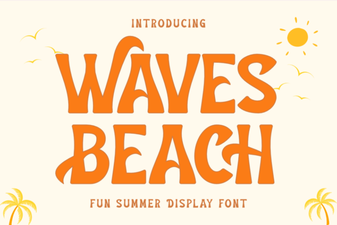 Waves Beach Font: Creative Designs & Typography Ideas
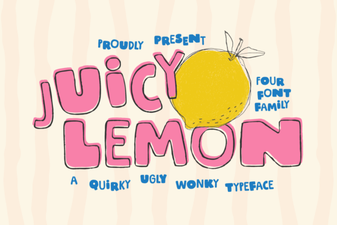 Juicy Lemon Font: Fresh Ideas for Bold Designs
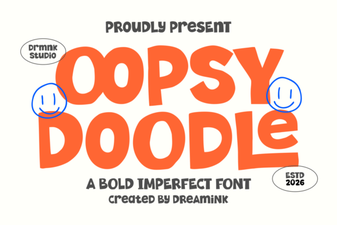 Design Your Oopsy Doodle Font Projects
 Vintage Barbie Fonts for Modern Designs
 Crafty Bloom Font: Elegant Typography for Creative Projects
 Crafting Titles with Comic Book Fonts