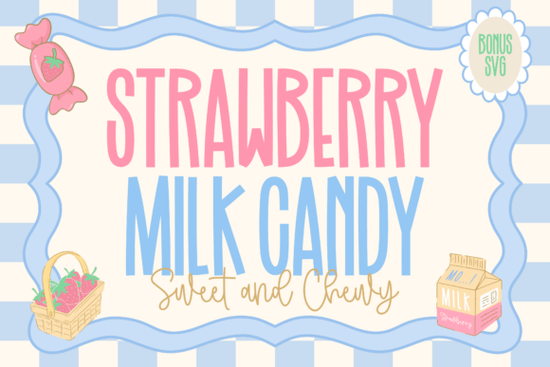
If you are designing packaging for a new dessert brand or creating cute stickers for your small business, finding the right typography can make or break your project. The Strawberry Milk Candy Font offers a playful duo that pairs a tall, hand-drawn sans serif with a smooth, flowing script. This combination gives crafters and print-on-demand sellers a versatile tool for projects that need a sweet, nostalgic, and youthful aesthetic.
What makes this font duo work for dessert branding?
The primary uppercase letters are slim and slightly whimsical, keeping the overall look light and readable. When you need to add a softer, more personal touch, the accompanying handwritten script mimics the smooth swirl of a creamy drink. This contrast is exactly what food and beverage packaging needs to stand out on a crowded shelf. Whether you are labeling homemade jams, designing a menu for a local bakery, or making Valentine's Day greeting cards, the mix of structured and flowing letterforms keeps the design engaging without looking messy.
When working on summer drink menus or fruity product lines, you might pair this with a bright citrus-inspired typeface for the subheadings to create a fun, colorful contrast. For a more floral, springtime vibe on your packaging, try mixing it with a delicate botanical style to balance the heavy sweetness with light, natural elements.
How can crafters use this typeface with cutting machines?
For hobbyists and small business owners using Cricut or Silhouette machines, readability and clean lines are essential. The sans serif version features straightforward strokes that are easy to weed, making it ideal for vinyl decals, mug wraps, and t-shirt transfers. The script version works best for larger applications where the smooth connections will not tear during the peeling process. If you are making die-cut stickers or acrylic cake toppers, keeping the script letters slightly thicker in your design software will help prevent fragile edges from snapping off.
Of course, this specific style is not the only option for your creative business. If your project leans more toward retro nostalgia rather than modern cute, a classic mid-century style might be a better fit for your main headlines. When designing merchandise for a coastal cafe, you could swap the candy theme and use a relaxed coastal typeface instead to match the ocean vibe. On the other hand, if you want to subvert the sweet aesthetic entirely, contrasting it with a rough, distressed style can create a striking, edgy look for alternative streetwear brands.
Where should you avoid using highly stylized scripts?
While decorative typefaces are fantastic for logos, short quotes, and packaging headers, they are not meant for long paragraphs. Keep your body text clean and simple using standard, highly legible fonts. Use the script version strictly for accents, signatures, or short callouts. The tall sans serif can handle slightly longer phrases, like ingredient lists or short product descriptions, but always test your print size first to ensure it remains legible from a normal reading distance.
What should you check before sending your design to print or cut?
Before you finalize your project, run through this quick checklist to ensure your typography looks professional and functions correctly across different mediums:
- Convert to outlines: Always convert your text to paths or outlines in your vector software before sending files to a commercial printer. This prevents missing font errors and keeps your letterforms intact.
- Check letter spacing: Hand-drawn fonts sometimes have uneven kerning by design. Manually adjust the tracking between specific letter pairs to ensure the spacing looks natural and balanced.
- Test the weeding process: If you are cutting adhesive vinyl, do a small test cut on a scrap piece of material. Check if the inner loops of lowercase letters like e, o, and a are large enough to weed cleanly with your tools.
- Verify color contrast: Make sure your chosen background color provides enough contrast against the thin strokes of the sans serif version. This is especially important for product labels that customers need to read quickly.
- Flatten for print-on-demand: If you are uploading to a print-on-demand platform, flatten your design into a high-resolution PNG with a transparent background. This preserves the exact look of the letterforms without risking formatting shifts.
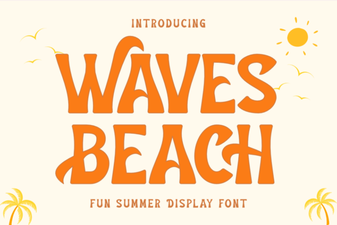 Waves Beach Font: Creative Designs & Typography Ideas
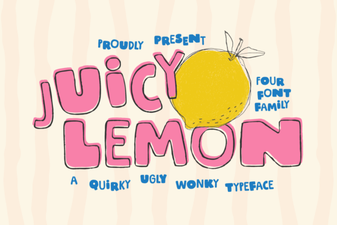 Juicy Lemon Font: Fresh Ideas for Bold Designs
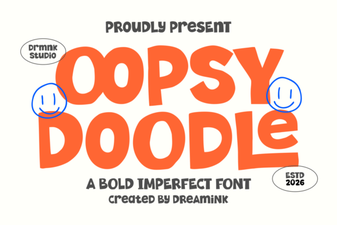 Design Your Oopsy Doodle Font Projects
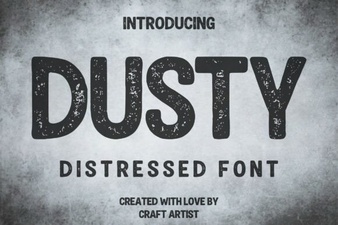 Dusty Font for Vintage Design Projects
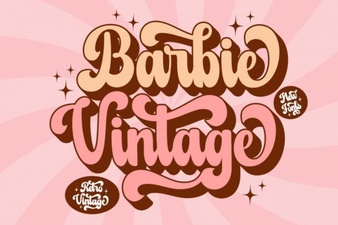 Vintage Barbie Fonts for Modern Designs
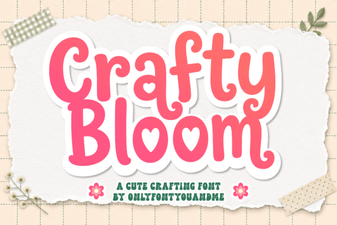 Crafty Bloom Font: Elegant Typography for Creative Projects