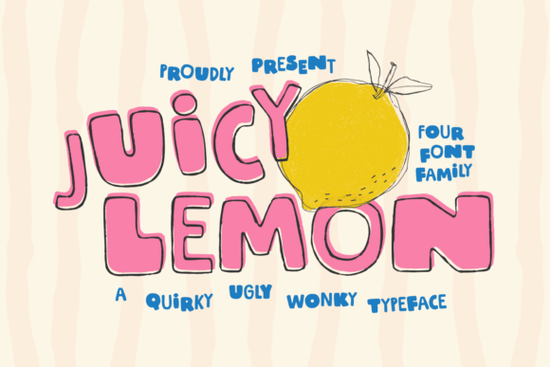
Finding the right typography for a fun, energetic project can be tricky. You want something that feels human and approachable without looking completely unprofessional. The Juicy Lemon Font solves this by offering a bold, hand-drawn style that feels intentionally messy but highly readable. It is built for creatives who need their text to stand out on vibrant packaging, eye-catching posters, or playful social media graphics.
What kind of projects work best with this typeface?
When you are designing merchandise or branding for a youthful audience, standard sans-serif letters often fall flat. This chunky, uneven typeface shines in environments where personality matters most. Print-on-demand sellers will find it highly effective for summer-themed t-shirts, quirky tote bags, or custom sticker sheets. The thick strokes cut beautifully on vinyl cutting machines, making it a reliable choice for crafters creating physical decals or car window stickers.
If you are working on a brand identity that needs a retro vibe, you might explore other nostalgic and colorful lettering styles to see how they pair with your aesthetic. Small businesses creating physical products, like artisan soaps or craft beverages, can use these thick shapes to make labels pop on a crowded shelf. It gives a handcrafted feel customers naturally associate with small-batch, authentic goods.
How does it compare to other hand-drawn styles?
Not all messy fonts are created equal. Some lean heavily into a rough, distressed look, similar to what you would find when browsing grungy and textured typographic options. This specific typeface, however, keeps its edges relatively clean while maintaining a bouncy, irregular rhythm. It feels more like a thick marker drawing than a stamped or weathered impression, which keeps it looking fresh and bright.
If your project requires something more illustrative, you might look into whimsical and sketchy alternatives for a lighter feel. But for bold headlines where you need the text to carry heavy visual weight, the chunky forms here do the heavy lifting. It also pairs well with softer scripts. For example, mix these bold headers with relaxed and breezy lettering to create beautiful contrast for a coastal-themed cafe menu.
Is it easy to read at smaller sizes?
Because this is a display typeface, it is designed specifically for large formats. The quirky curves and uneven baseline mean it loses its charm and legibility if you shrink it down for body copy or fine print. Keep it reserved for main titles, short slogans, large logos, or prominent social media text overlays.
If you need a highly legible font for long paragraphs, ingredient lists, or detailed product descriptions, you should stick to a clean, standard serif or sans-serif. For a more structured but still playful approach to longer text blocks, checking out bold and dynamic comic-style options might give you the readability you need while keeping the fun energy intact across your entire design layout.
What are the best pairings and layout tips?
To get the most out of this handcrafted typeface, contrast is your best friend. Since the letters are thick and visually heavy, pair them with plenty of negative space and a very simple, clean secondary font for your subheadings. A lightweight, geometric sans-serif usually works perfectly to balance the visual weight.
Here are a few practical layout rules to keep your designs looking professional:
- Avoid all-caps for long phrases: The uneven rhythm and quirky curves can make extended uppercase text hard to track. Stick to short, three-to-four-word phrases if you must use all capital letters.
- Mind your kerning: Play with the letter spacing slightly if your design software allows it. Bringing the letters just a fraction closer together can emphasize the chunky, interconnected feel of the hand-drawn shapes.
- Use high-contrast colors: This font looks incredible in bright, saturated colors like sunshine yellow, vibrant orange, or deep magenta. Avoid using it in very pale pastels unless you are placing it over a dark background.
How do I prepare the file for cutting machines?
For crafters using Cricut or Silhouette machines, preparing your text correctly is essential. Always convert your text to outlines or paths before sending it to the cutting software. This prevents the machine from misreading the uneven baseline and ensures the vinyl cuts cleanly around the chunky edges. If you are doing a multi-layer project, consider using a solid block color for the shadow layer to make the main text pop off the surface.
Before you finalize your next design project, run through this quick typography checklist to ensure your layout looks polished and ready for production:
- Check that the main headline is set in the display font and sized large enough to show off the imperfect details.
- Verify that all supporting body text is set in a clean, highly readable secondary font.
- Ensure there is enough negative space around the main title so it does not feel cramped against other design elements.
- Convert all text to outlines if you are sending the file to a commercial printer or a vinyl cutting machine.
- Proofread your short slogans carefully, as bold display fonts can sometimes hide minor spelling errors at a quick glance.
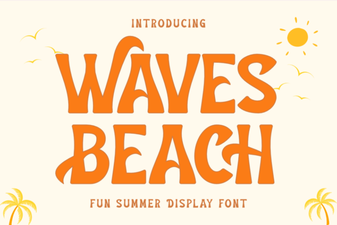 Waves Beach Font: Creative Designs & Typography Ideas
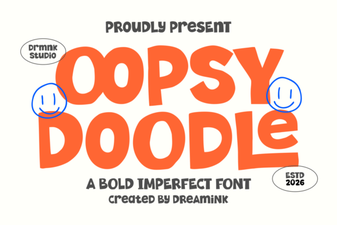 Design Your Oopsy Doodle Font Projects
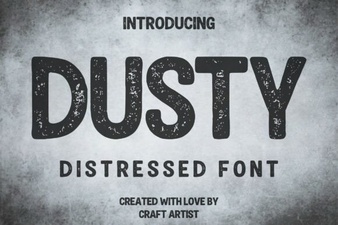 Dusty Font for Vintage Design Projects
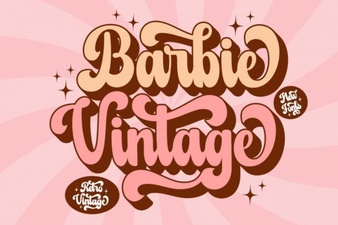 Vintage Barbie Fonts for Modern Designs
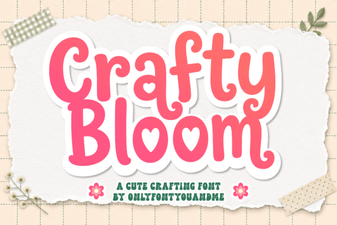 Crafty Bloom Font: Elegant Typography for Creative Projects
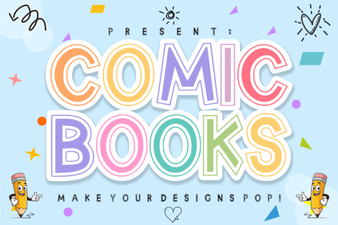 Crafting Titles with Comic Book Fonts