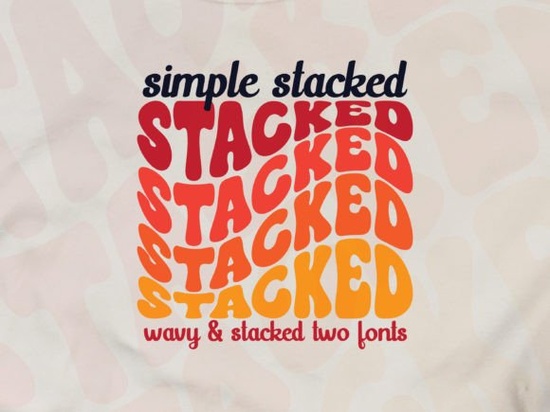
If you are designing retro-inspired merchandise or playful branding, finding the right typography sets the tone for your entire project. The Simple Stacked Font brings a groovy, wavy effect with a built-in triple rainbow style. It gives off a fun, nostalgic vibe without looking messy, making it a solid choice for crafters and small business owners who want their designs to stand out on shelves or online stores.
What kind of projects work best with a wavy retro font?
Display typefaces with built-in effects save a lot of time because you do not have to manually warp or distort the text. This specific style shines on items where bold, eye-catching text is the main focal point. Think about graphic tees, canvas tote bags, or vintage-style event posters. If you are working on a summer collection, pairing this wavy look with a relaxed coastal typeface for your subheadings can create a really nice contrast. It is also highly effective for sticker packs and enamel pin designs where thick, readable lettering is necessary for the manufacturing process.
How do you get the best results in Adobe Illustrator?
Since the creator recommends Adobe Illustrator for this typeface, you will want to take advantage of vector tools to keep your edges crisp. When you type out your words, the wavy effect and rainbow layers are already baked into the font file.
- Expand your text: Once you are happy with the spelling and layout, go to Type > Create Outlines. This turns your text into editable vector shapes.
- Adjust the colors: After expanding, you can use the Direct Selection tool to tweak the triple rainbow colors to match your specific brand palette.
- Check the kerning: Because the letters have a stacked, wavy shape, you might need to manually adjust the spacing between certain character pairs so they do not overlap awkwardly.
Working in a vector environment also means you can scale the design up for large banners or down for small tags without losing any quality. Taking a few extra minutes to clean up your paths will make a big difference in the final product.
Can you mix groovy display fonts with other styles?
Mixing highly stylized letters with simpler fonts is usually the best approach. You want your main headline to grab attention, while your supporting text remains easy to read. If your main title uses a groovy style, try pairing it with a clean sans-serif or a classic comic lettering style for the smaller details.
Sometimes, designers like to lean fully into the vintage aesthetic. If that is your goal, combining your wavy headline with a nostalgic mid-century typeface for the secondary text keeps the whole layout cohesive. Just make sure the secondary font does not compete for attention. You can also experiment with adding a slightly rougher texture to the overall design by incorporating elements from a distressed grunge collection to give it a worn-in, authentic feel.
What should you check before selling print-on-demand merchandise?
Before you upload your final design to a print-on-demand platform, you need to ensure the file is set up correctly for physical production. Bright, multi-colored fonts look great on screens, but they can sometimes print darker or muddier on fabric.
Always convert your document to the correct color profile. Most apparel printers prefer CMYK or specific RGB profiles, so check your provider's guidelines. Also, if your design relies heavily on bright neon or pastel rainbow colors, look into standard print file guidelines to understand how those shades translate to cotton or polyester. Another good trick is to add a subtle halftone pattern to the rainbow sections if you want to give it an even more authentic vintage print look. For a brighter, more citrusy vibe on summer apparel, you might even draw inspiration from a fresh citrus-inspired layout to guide your color choices.
It is also wise to order a sample of your product before listing it for sale. Seeing the physical item in person helps you verify that the wavy text is legible and the colors are vibrant enough for your customers.
Quick checklist before exporting your final design
- Verify all text is spelled correctly before creating outlines.
- Ensure the vector paths are fully closed with no stray anchor points.
- Check that your color profile matches your printer's requirements.
- Test the design on a dark and light background mockup to check contrast.
- Save a master AI file and export a high-resolution PNG with a transparent background for uploading.
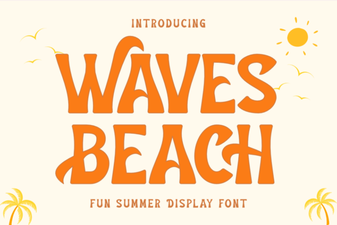 Waves Beach Font: Creative Designs & Typography Ideas
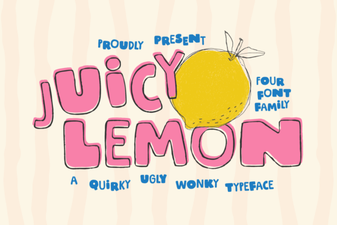 Juicy Lemon Font: Fresh Ideas for Bold Designs
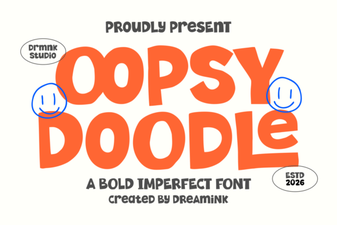 Design Your Oopsy Doodle Font Projects
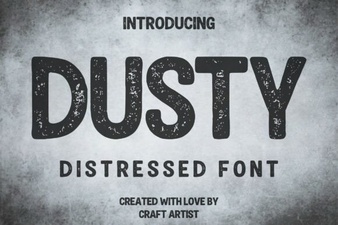 Dusty Font for Vintage Design Projects
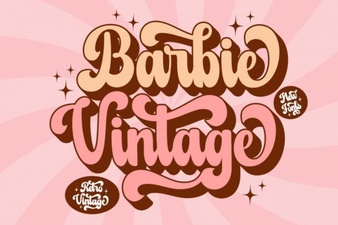 Vintage Barbie Fonts for Modern Designs
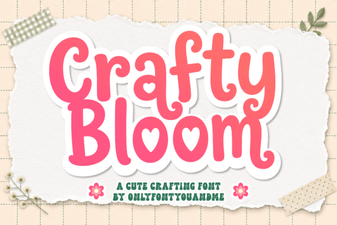 Crafty Bloom Font: Elegant Typography for Creative Projects